
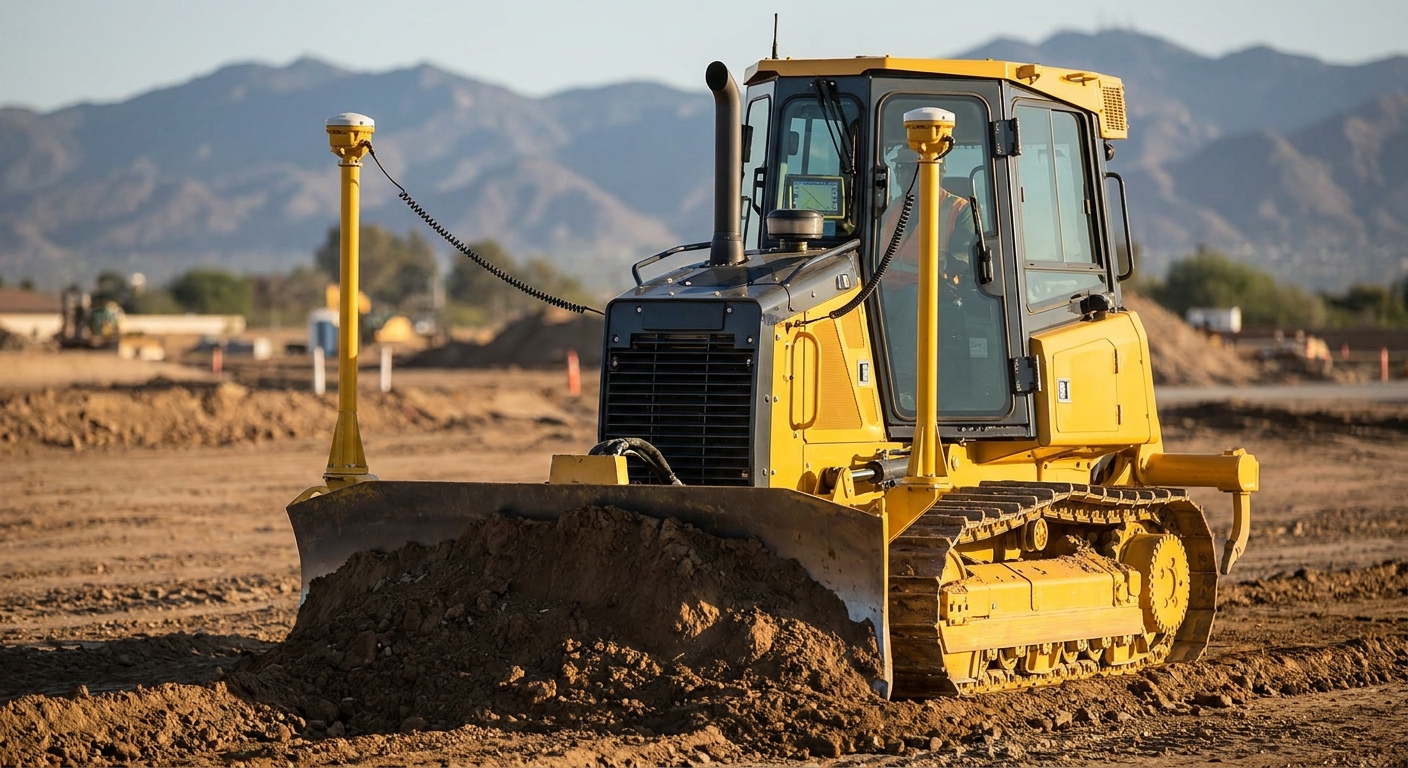
3D GPS machine control puts blade elevation, slope, and heading data straight in front of the bulldozer operator, so grading gets done to plan without a surveyor walking stakes every 10 metres. This guide breaks down what to check before you spec a system and which parts of the marXact (marxact.com) lineup actually earn a spot on a dozer in 2026.
- 3D GPS machine control for bulldozers cuts grade-checking time and removes most restaking on cut/fill work in 2026.
- UNI-Machine plus a Full Machine Installation (Cabin + GNSS + Sensors) at €2,000 is the complete build for daily grading crews - Buy.
- Short Machine Installation (Cabin + GNSS) at €1,000 covers simple flat-grade jobs but skips the extra sensors bigger sites need - Consider.
- A surveyor costs €400-600 per day; a dozer running its own GNSS pays that back inside a couple of weeks on active sites.
- Consumer tablets and 2D laser-only rigs look cheaper but stall out on anything with a real slope or crown.
Why this matters
A dozer waiting on a surveyor to re-check a cut face burns money whether the blade moves or not. GNSS machine control puts the design surface inside the cab, so the operator sees cut and fill in real time instead of guessing off a batter board.
marXact supplies GNSS receivers, field software, and machine control kits used across construction and civil sites in more than 40 countries, with over 1,000 companies running the field software day to day. That scale matters here: bulldozer machine control isn't a niche add-on anymore, it's become the standard way mid-size grading crews avoid restaking cuts twice.
Who this is for
This guide is for site foremen, plant managers, and grading contractors who run one or more bulldozers on cut/fill, road base, or pad-prep work and want the machine grading to design without a dedicated surveyor on call. If your dozer sits idle waiting for stake-out or grade checks more than once a week, machine control removes that wait.
What to look for in 3D GPS machine control for bulldozers
Correction source and accuracy
The GNSS receiver on the blade is only as good as the correction feeding it. Network RTK or a local base station both get you to centimetre-level accuracy on the blade, but network RTK removes the need to babysit a base station on every move. Check coverage on your actual sites before committing, not just a spec sheet.
In-cab display built for a non-surveyor
Operators are not surveyors, and the display shouldn't ask them to be. A clear cut/fill number, a simple slope indicator, and a screen that survives dust and vibration matter more than a feature list. Software built for field crews rather than survey offices cuts training time from days to hours.
Sensor setup on the blade
Dozer blade control needs more than a single antenna. Mast height, tilt, and heading sensors let the system track blade orientation through the full range of motion, which is what separates real 3D control from a basic elevation-only rig.
Installation depth
A Short Machine Installation (Cabin + GNSS) at €1,000 covers a simple in-cab GNSS setup for flat or single-slope grading. A Full Machine Installation (Cabin + GNSS + Sensors) at €2,000 adds the sensor package for full 3D blade control on complex surfaces. Pick based on what your sites actually grade to, not what the cheapest kit lets you skip.
Data workflow between field and office
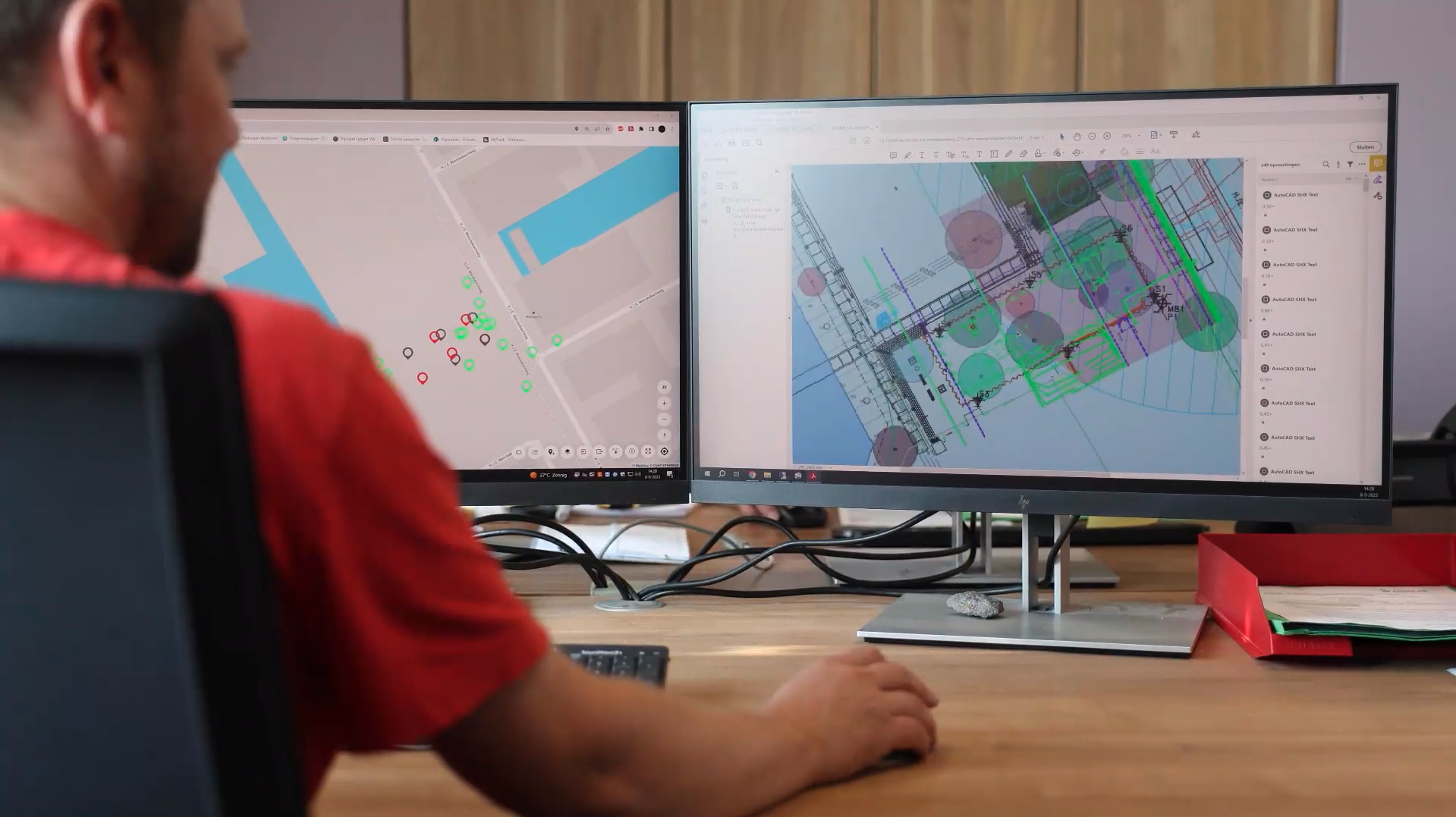
Design files need to get to the machine, and as-built data needs to get back. A cloud link that pushes surfaces to the dozer and pulls completed passes back to the office in real time saves a physical trip to the site every time the design changes.
Ruggedness of the cab hardware
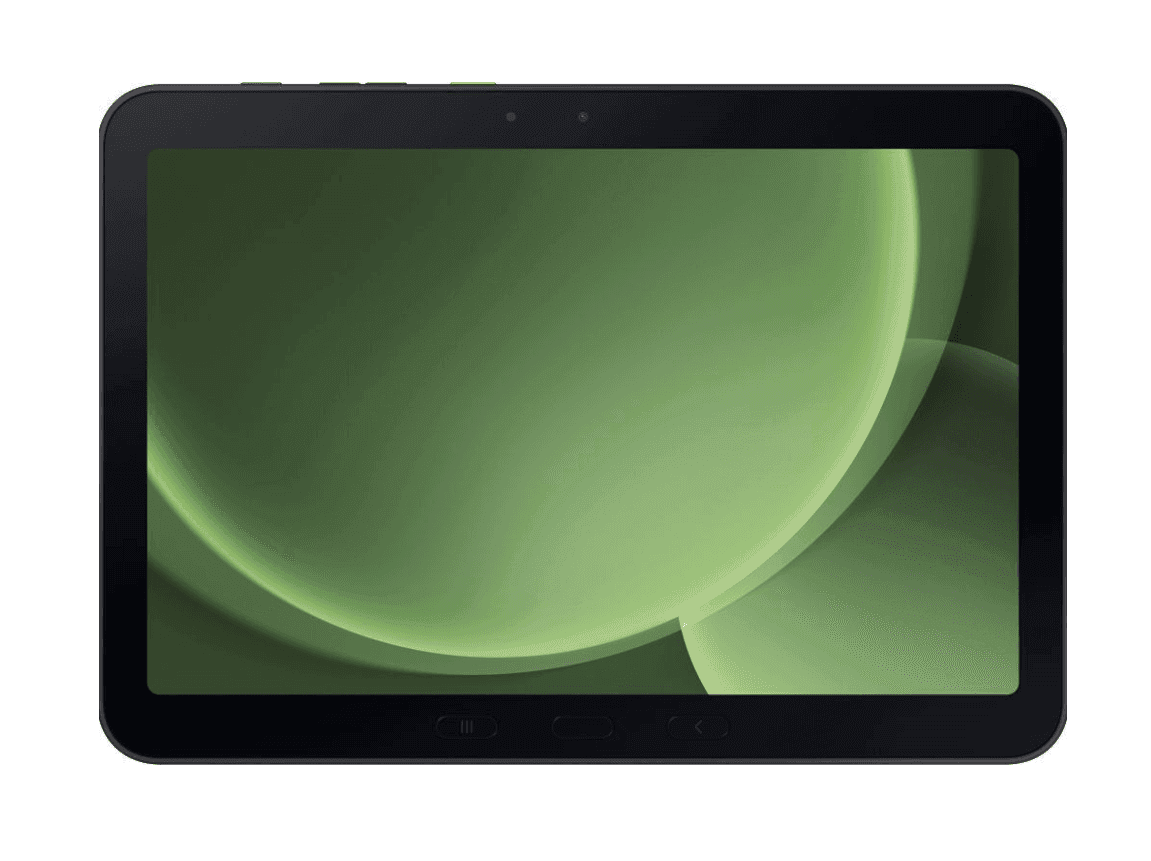
A tablet or panel mount that shakes loose or fogs up in a dusty cab defeats the point of the system. Rugged tablets rated for industrial use outlast consumer devices by a wide margin on a machine that vibrates all day.

Top picks for 3D GPS machine control for bulldozers
UNI-Machine - the foundation pick. This is the base machine control package that ties the GNSS receiver, cabin display, and field software together. One spec that matters: it's the entry point regardless of which machine type or boom configuration you're running, so it's the first line item on any dozer build. Buy if you're starting from zero.
Full Machine Installation (Cabin + GNSS + Sensors) - the complete build. At €2,000 this adds the sensor package on top of the cabin and GNSS hardware, which is what actual 3D blade tracking needs on anything beyond a flat pad. Crews grading roads, crowns, or multi-slope pads should treat this as the standard spec, not the upgrade. Buy for daily grading work.
Short Machine Installation (Cabin + GNSS) - the budget entry. At €1,000 this covers the cabin and GNSS hardware without the extra sensor package, which is enough for simple, single-plane grading. It's half the price of the full build but it won't track complex blade tilt. Consider it only if your sites stay flat.
Samsung Galaxy Tab Active 5 Pro - the in-cab display. A rugged, industrial-rated tablet at €600 built to run field software through vibration, dust, and temperature swings that kill consumer tablets inside a season. This is the screen the operator actually looks at all day, so skimping here shows up as downtime. Buy for any cab install.
UNI-Cloud - the office link. Moves job data, design surfaces, and completed passes between the machine and the office in real time, at no cost for the base plan. Without this, every design change means someone drives to the site with a USB stick. Buy if the office ever revises a plan mid-job.
What to avoid
- Consumer tablets bolted into the cab. They look fine on day one and fail within a season of dust, heat, and vibration - the repair bill costs more than the rugged tablet did.
- 2D or elevation-only control on a sloped site. It handles a flat pad fine but can't track blade tilt through a crown or variable slope, so you end up hand-checking grade anyway.
- Base-station-only setups with no cloud sync. Skipping the office link saves nothing if someone still has to drive design changes out to the machine every time the plan updates.
“If your grade has any real slope in it, elevation-only control just moves the guesswork from the stake to the screen.”
Verdict comparison
| Pick | Price | Best for | Verdict |
|---|---|---|---|
| UNI-Machine | € 0.00 (base package) | Any dozer machine control build | Buy |
| Full Machine Installation | € 2,000.00 | Complex 3D grading, roads, crowns | Buy |
| Short Machine Installation | € 1,000.00 | Flat, single-plane grading only | Consider |
| Samsung Galaxy Tab Active 5 Pro | € 600.00 | In-cab display, rugged use | Buy |
| UNI-Cloud | € 0.00 (base plan) | Field-to-office data sync | Buy |
FAQ
What does 3D GPS machine control for bulldozers actually do?
It feeds real-time GNSS position and blade orientation data into an in-cab display so the operator can grade directly to a digital design surface. It replaces most stake-and-flag grade checks with a live cut/fill readout in 2026-era setups.
Is machine control worth it for a single bulldozer?
Yes, if that dozer runs regular cut/fill or road base work, since a surveyor day visit runs €400-600 and machine control removes most of those visits within weeks. A Short or Full Machine Installation both fit a single-machine site.
How much does machine control cost to install on a dozer?
A Short Machine Installation (Cabin + GNSS) runs €1,000, and a Full Machine Installation (Cabin + GNSS + Sensors) runs €2,000 in 2026. The difference is the sensor package needed for full 3D blade tracking.
Do I need a surveyor to run GNSS machine control on a bulldozer?
No, the systems are built for site operators, not surveyors, with in-cab displays showing cut/fill and slope directly. That's the core reason contractors add machine control instead of hiring a surveyor for every grade check.
What's the difference between 2D and 3D machine control on a dozer?
2D or elevation-only control tracks blade height on a flat plane, while 3D control adds tilt and heading sensors to track the blade through slopes and crowns. Anything beyond a flat pad needs the 3D sensor package.
Does machine control need network coverage on site?
Network RTK correction needs mobile coverage, while a local base station works without it but requires setup on each move. Check actual site coverage before choosing a correction source.
How rugged does the in-cab tablet need to be?
It needs an industrial rating built for vibration, dust, and temperature swings, since consumer tablets typically fail within a single season of daily cab use. A rugged tablet like the Samsung Galaxy Tab Active 5 Pro at €600 is built for that environment.
One last thing
The part most crews underestimate isn't the GNSS hardware, it's the cloud link. A dozer with perfect blade tracking still needs the latest design surface pushed to it the moment the office changes the plan - skip UNI-Cloud and someone ends up driving a USB stick to site in 2026, which defeats the entire point of machine control.